
App Store screenshots, framed and localized in minutes
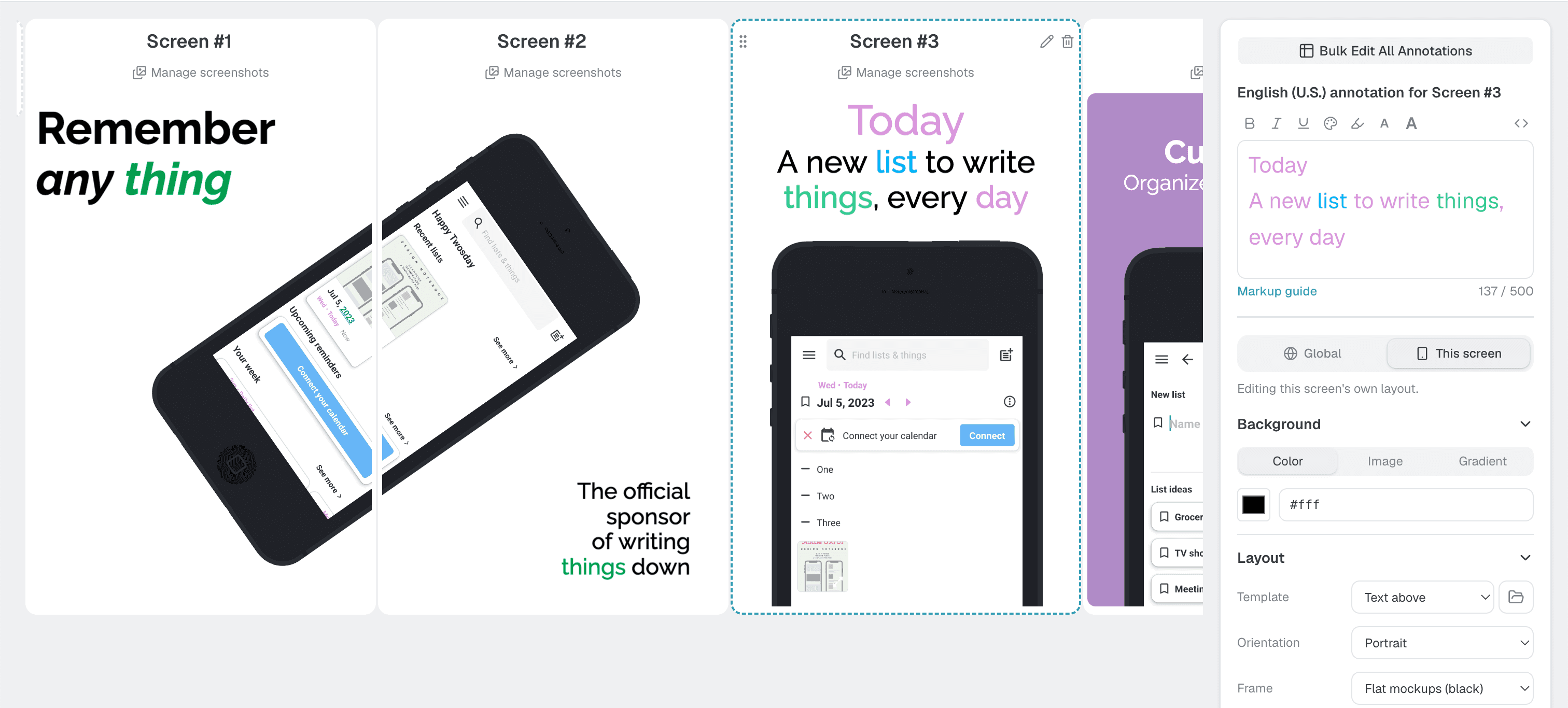
Upload your screenshots and pick a template. Appure frames every device and translates your captions, then hands you a set that's ready for the App Store and Play Store.
Free for one app · No credit card · First export in about 5 minutes
See what’s costing your app installs
Get a free ASO report for your App Store or Google Play listing. A 0 to 100 score across six dimensions, and the exact fixes that win back the most installs.
Every size the App Store and Play Store ask for, built in
You design once. We do the repetitive part.
Translating captions, resizing for every device, exporting store-ready files. That's the work Appure takes off your plate.
26+ languages in one click
Write your caption once. Appure translates it into every language the App Store and Play Store support. No translators, no copy-paste.
30+ layouts to start from
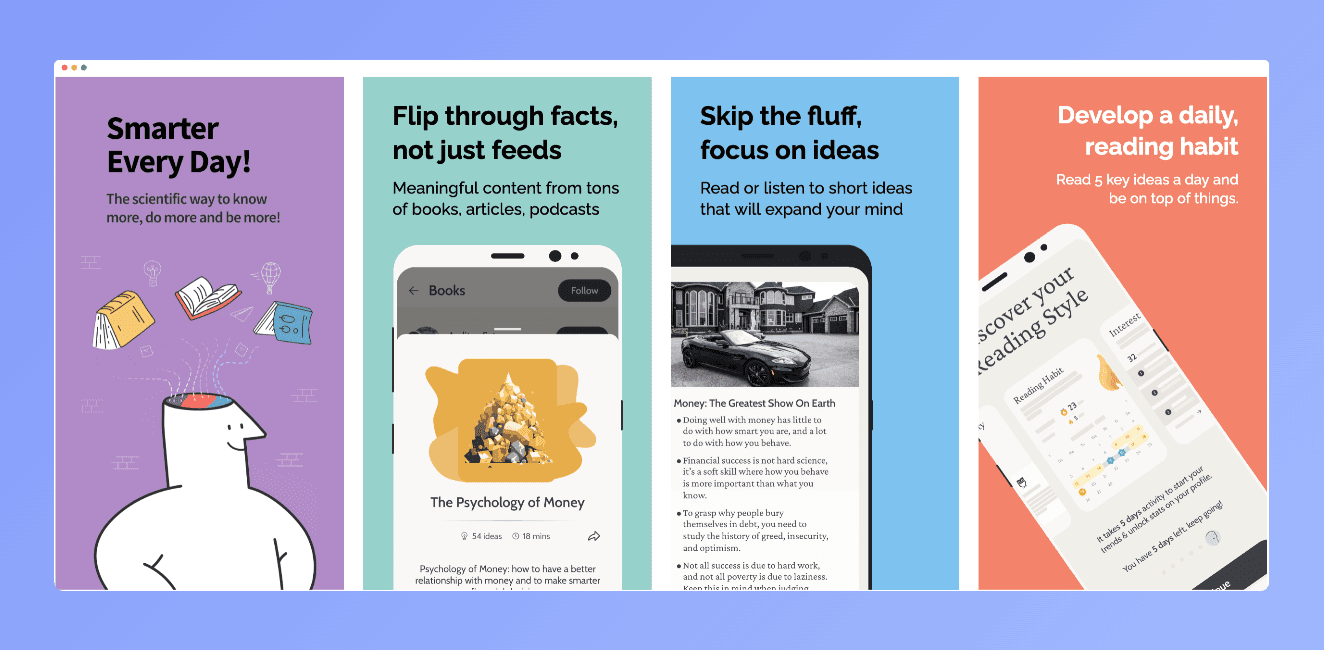
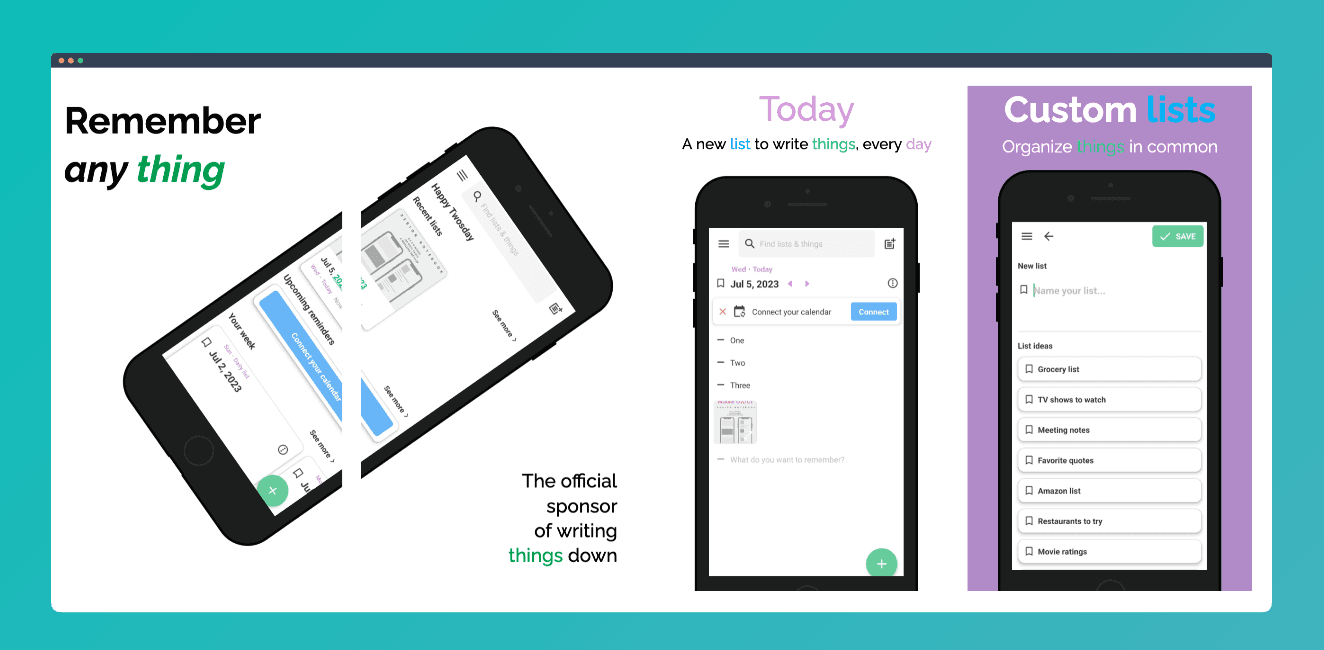
Pick a proven arrangement: captions above, devices angled, or a panorama across two screenshots. Then make it yours.
Accepted on the first upload
Every screenshot exports at the exact sizes the App Store and Play Store require. No more rejected uploads.
Stop juggling design tools and size charts
Everything lives in one place. Upload your screenshots, tweak the design, and export the whole set at once. No Figma, no Photoshop, no spreadsheet of dimensions.
- ✓Templates
- ✓Localization
- ✓One-click export for all sizes
- ✓Apple and Android devices
- ✓Powerful and easy-to-use editor
Great looking screenshots in under 5 minutes
Upload your screenshots and pick a layout. That's the whole job. Go deep on frames, text, and backgrounds if you want, or ship with the defaults.
- ✓30+ premade templates
- ✓Custom fonts
- ✓Customize shadows, colors, backgrounds, and more
What's inside Appure?
Everything between a plain screenshot and a finished store listing.
20+ devices
Frame your app on the devices your users actually hold. 4 finishes: Gray, Silver, Clay Gray, Clay Black.
Try it →Portrait and landscape
Both orientations for every device. Toggle one option and export.
Try it →Custom fonts
Match your brand: 16+ built-in fonts, or upload your own.
Try it →| iPhone | iPad | Pixel | |
|---|---|---|---|
| en_US | ✓ | ✓ | ✓ |
| de_DE | ✓ | ✓ | ✓ |
| ja_JP | ✓ | ✓ | ✓ |
Per device/language screenshots
Different captures per market? Upload any combination of device and language.
Try it →Customization
Colors, shadows, annotations, and solid, gradient, or image backgrounds. Nothing is locked.
Try it →Store-ready sizes
Export at the exact App Store and Play Store dimensions, automatically.
See sizes →Your captions, in every store language
Write them once. Appure translates into all 26+ languages the App Store and Play Store accept.
Start free. Upgrade when you outgrow it.
Free for your first app. $9/month unlocks everything for up to 10 apps. Cancel anytime. Your exports are yours to keep.
Free
Ship your first app's listing at no cost
What do you get:
- ✓1 app: iOS or Android
- ✓All built-in layouts
- ✓One layout per app
- ✓One custom font uploaded
- ✓3 localizations
- ✓1 screenshot per screen
Plus
Every feature, every language, up to 10 apps
What do you get:
- ✓10 apps: iOS or Android
- ✓All built-in layouts
- ✓Layout settings per screenshot
- ✓Unlimited custom fonts
- ✓All languages
- ✓Screenshots per device / locale
Frequently asked questions
Short answers to the questions everyone asks first.
Is Appure free?+
You can use Appure for free for one app with certain limitations. Upgrade to the full version for the lowest price on the market of all Appure alternatives.
Will my screenshots comply with App Store and Google Play guidelines?+
With Appure's editor you have full freedom to design screenshots in any layout, configuration, and size. This level of customization ensures your screenshots meet the specific requirements and guidelines of the App Store and Play Store.
Does Appure support iPad and Android tablets?+
Yes, Appure has both iPads and Android tablets available.
Can I preview my screenshots on different devices and screen sizes?+
Absolutely. The device preview lets you visualize how your screenshots will appear on various phones and tablets, ensuring a consistent presentation across screens.
Can I export in the resolutions required for store submission?+
Yes. Appure exports your screenshots in the exact sizes both the App Store and Play Store require, so submission goes smoothly.
Does Appure support landscape screenshots?+
Yes. Appure supports portrait and landscape screenshots rotated 90° left or right. Just toggle one option and export.
Can I add annotations in multiple languages?+
Absolutely. Appure supports all 26+ languages required by the App Store and Play Store.
How do I get screenshots from my iPhone to my computer?+
On a Mac, AirDrop is quickest. On Windows, or when AirDrop won't show up, open Shared Clipboard App on both devices and add the screenshots on your phone. They arrive at full resolution, with no app to install.
Get your screenshots done today
Your first set takes about five minutes. Free for one app, no credit card.
Create screenshots free